5 minutes
Arrays: A beginner’s approach 😀
Overview
I was touching grass with the tip of my feet, jumping around the meadow, then I saw a herding of wild variables and I thought: Why are they all coming and going by a group if each of them all owns a value by themselves.
— Cut it dude, looks like I’m crazy —
Sometime we want to store a bunch of data, but nobody wants to write a bunch of variables just for the sake of it. Here comes collections, in this post we’ll be talking about arrays.
As we know a collection is an abstract data type that consist in a group of variables that holds a relation between them, e.g: You want to store the first 10 unsigned integers, the days of the week or even the months of the year, all and each them holds a shared significance and needs to be operated upon together to solve the given problem.
There are different type of collections out there, hashmaps, sets, maps and so on, but for now we’ll focus on static and dynamic arrays, how to represent it (visually) and while doing it and I’m sure we’ll spot some differences as well.
Introduction to static arrays
An static array is a fixed-size contiguous Data Structure, that means the values will be stored one next to other. First, let’s take a deeper look at how variables works to spot some differences:
A variable is like a box that will hold your value ready to be read or changed. The compiler & the linker will work together to assign you variable’s name to a memory address, it’s the compiler’s job to keep track of all the references (calls to that variable) and the linker to put the right location in it. So anytime you see an indentifier foo the compiler will see a 0xnnnnnnnn instead.
Something similar happens to static arrays, they let you keep multiple values under the same name but accessed through an unique identifier, and the array must have a known size at compile time, since they are stored in the stack memory — we’ll be digging into that topic soon. Another cool thing about arrays is they are homogeneous: That means that each element is of the same type, e.g. an array of integers or an array of chars.
Visually explained
A good way to get a better grasp of it is to explain it visually so I’m going make a horrible drawing and then we jump right into it.
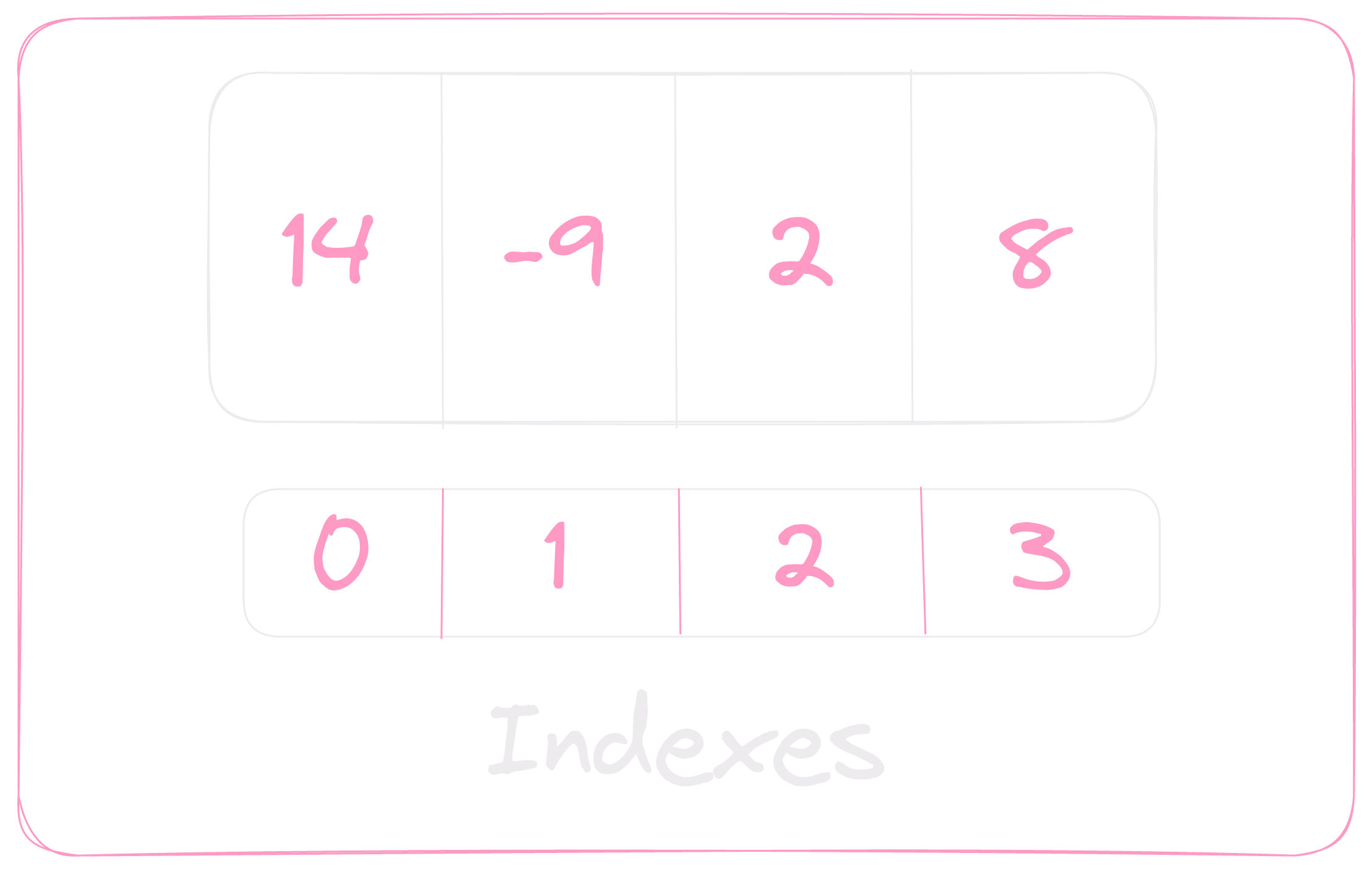
In the center we find a box with a few cells in it, each cell contains a value and each value can be accessed through an index. I did create a small box below the array to show how indexing is being made. By the way you can notice that as the definition stated before every element is of the same type.
But an array with data unable to being read isn’t really handy, right? So let’s take a look at the next topic.
Indexing
In the vast majority of programming languages indexing uses zero-based numbering. This means that in order to get the data stored in the 3rd spot in our example array, we do have to get it through the index 2. In the picture below I did represent each index within its value.
📍Note: Array’s last index will always be (length - 1). In our example the length is 4, so the last element will be indexed by ( 4 - 1 ) index 3.
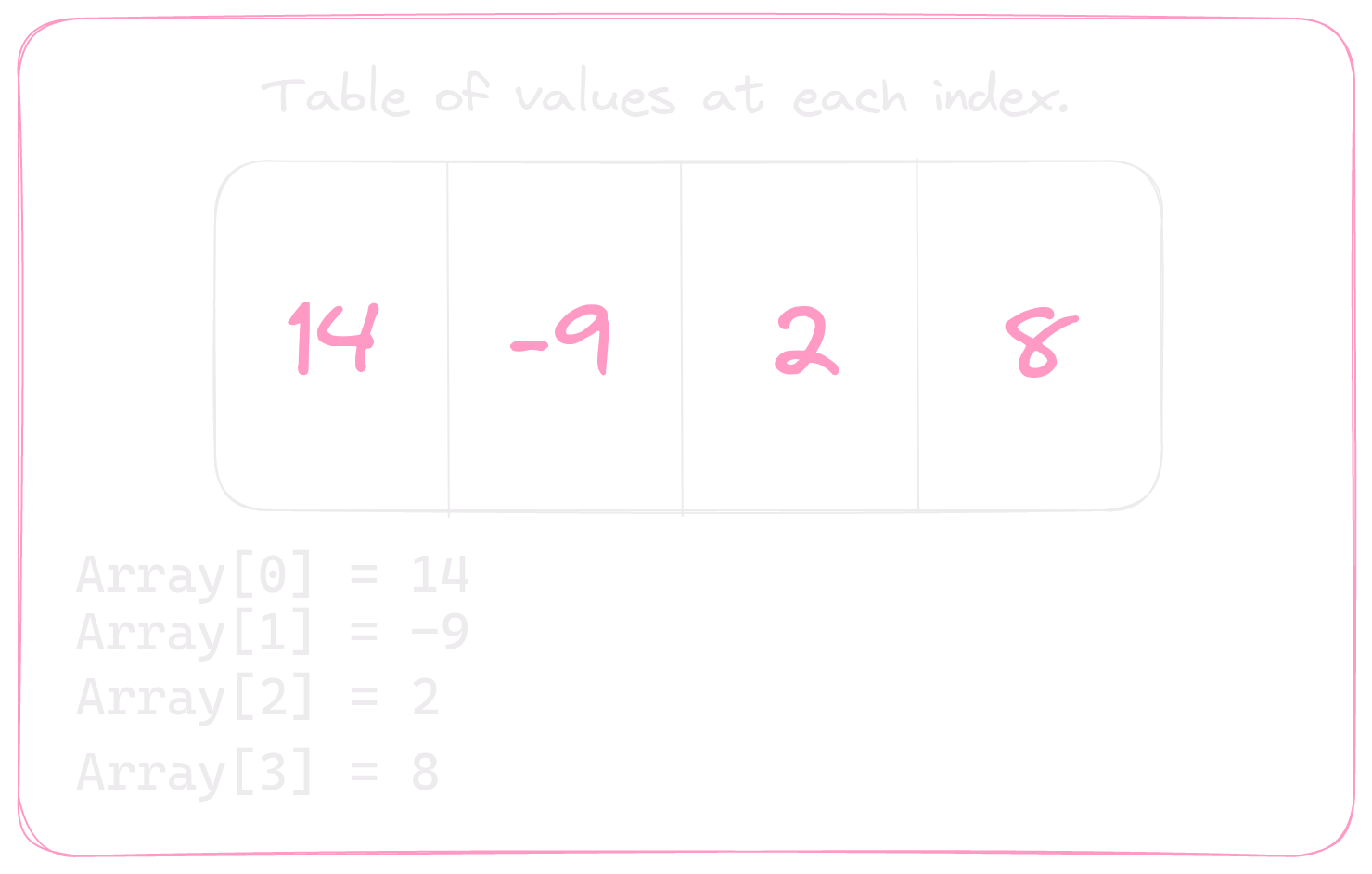
📍Note: It’s worth to remark that the squared brackets notation used here
Array[Index]is convention among the most popular programming languages. By the way, if you’re interested in how it became standart you can read whether the discussion here or a summary here.
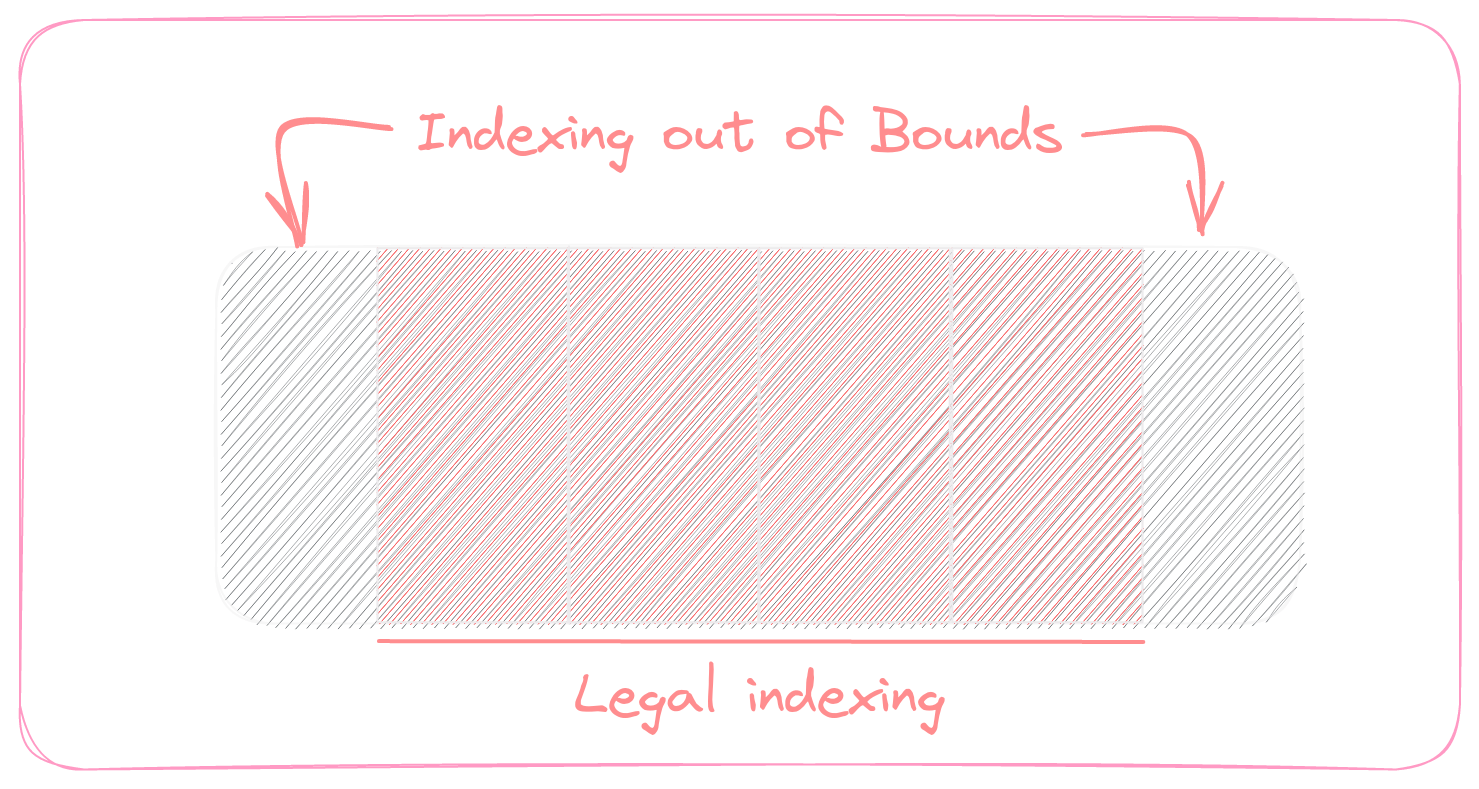
But now a question raises from the depths of our minds. What if we try to access to index -1 or index 4, What will we get?
Index out of bounds
Whether trying to access to negative index or a index greater or equal to the array’s length you’re accessing to an illegal index. In the modern programming languages this will result in an error labeled Index out of bounds. But in older languages such as C the compiler neither provide compile-time checks nor runtime checks for out of bounds access. So you’re likely to compile an error prone program and run into Undefined Behaviour.
Introduction to dynamic arrays
A big throwback when working with static sized array is that there’s no good way to add an element( n + 1) if the array is of size n. So instead of allocating a enormous capacity — Which is a horrible decision when it comes to performance — for the array, we can use dynamic arrays.
❔ Let’s take a slight look at what’s the logic behind it.
Dynamic arrays are, in fact, a static array with some magic tricks going underlying. In short, when the array runs out of space to store more values in it the compiler allocates another array with the double of size and copying the elements to the new array.
Look the at the picture bellow.
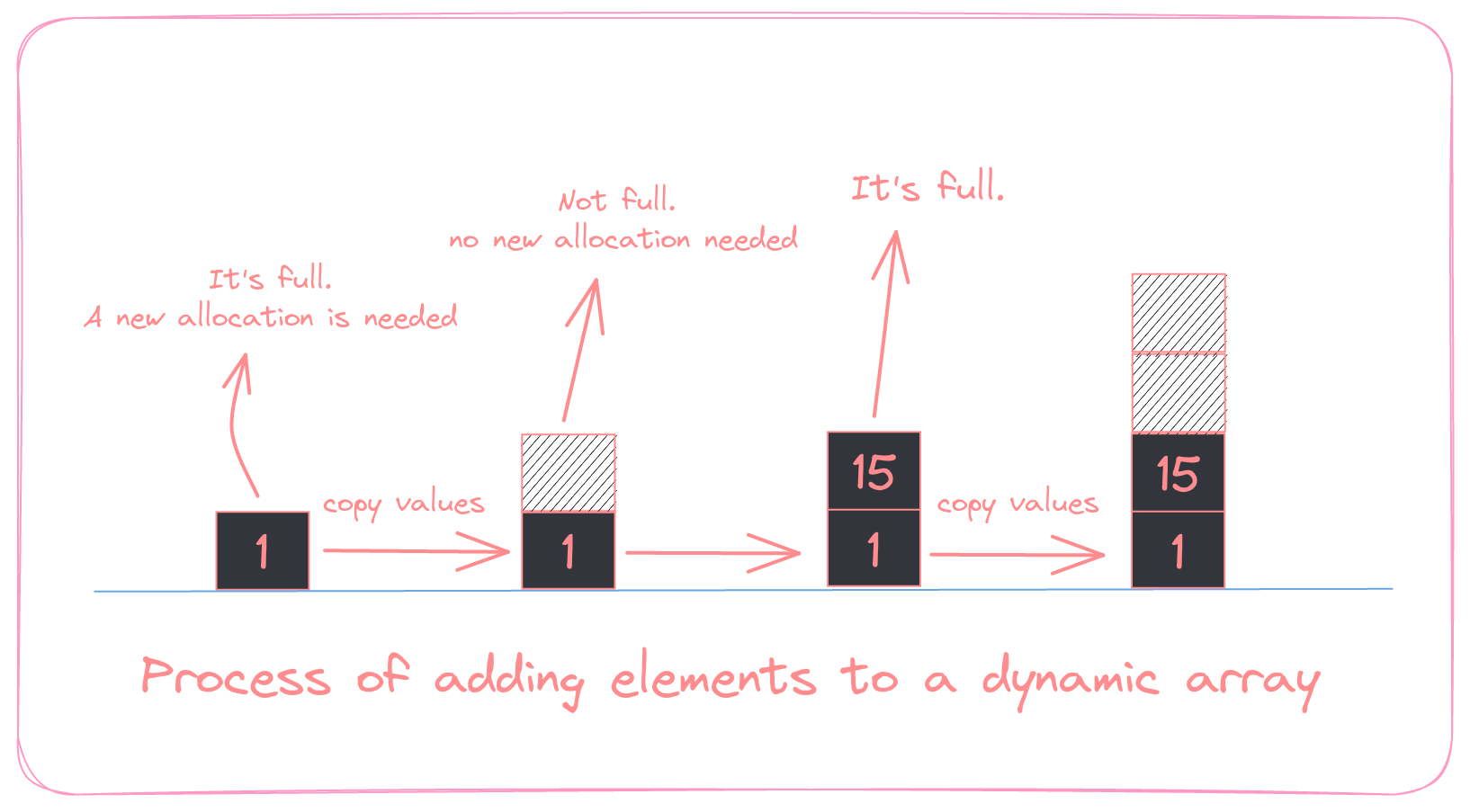
Imagine having an array of size 1, if we add a single value, it’ll have no longer space so the compiler allocates another array of size 2, copies the values to it and deallocates the old array. The same proccess will happen as long as we fulfill the available space.
Conclusion
Arrays are a very straightforward data structures and is one of the most popular ways to relate data. In further posts I’ll be talking about how are arrays implemented in C++ (and Rust), how to use them and some useful examples to get seasoned. Hope you enjoyed ❤️